
Features
Every tool your Mac needs
Scan, clean, monitor, and optimize in one lightweight native app. Start free, upgrade once for the full toolkit.
Free with every download
No account, no trial timer. These tools are yours from the first launch.
Smart System Scan
Deep analysis finds system junk, broken symlinks, and orphaned files that waste disk space.
One-Click Cleanup
Remove all identified junk with a single click. Safe defaults protect your important files.
Menu Bar Monitor
Real-time CPU, RAM, network, and battery stats in a compact menu bar dropdown.
Battery Diagnostics
Detailed battery health, temperature, remaining capacity, and exact cycle count.
Bandwidth & Speed Test
Live download and upload rates per adapter, with instant network speed tests.
Storage Visualizer
Interactive charts show exactly where your disk space is going.
Pro, a one-time upgrade
Pay once, own it forever. No subscription, and free updates included.
CPU Process Killer
Identify resource-heavy applications and force-quit background tasks that slow down your Mac.
Memory Optimizer
Track active, wired, and cached memory, and purge caches to boost performance when needed.
App Uninstaller
Completely remove apps together with their hidden support files and preferences.
Privacy Cleaner
Clear browser history, cookies, and autofill data across all major browsers.
Xcode Cleanup
Remove simulator data, derived data, and build caches left behind by Xcode.
Large File Finder
Quickly locate the biggest files on your drive and decide what to keep.
A closer look
Three of the tools you will reach for most, as they appear in the app.
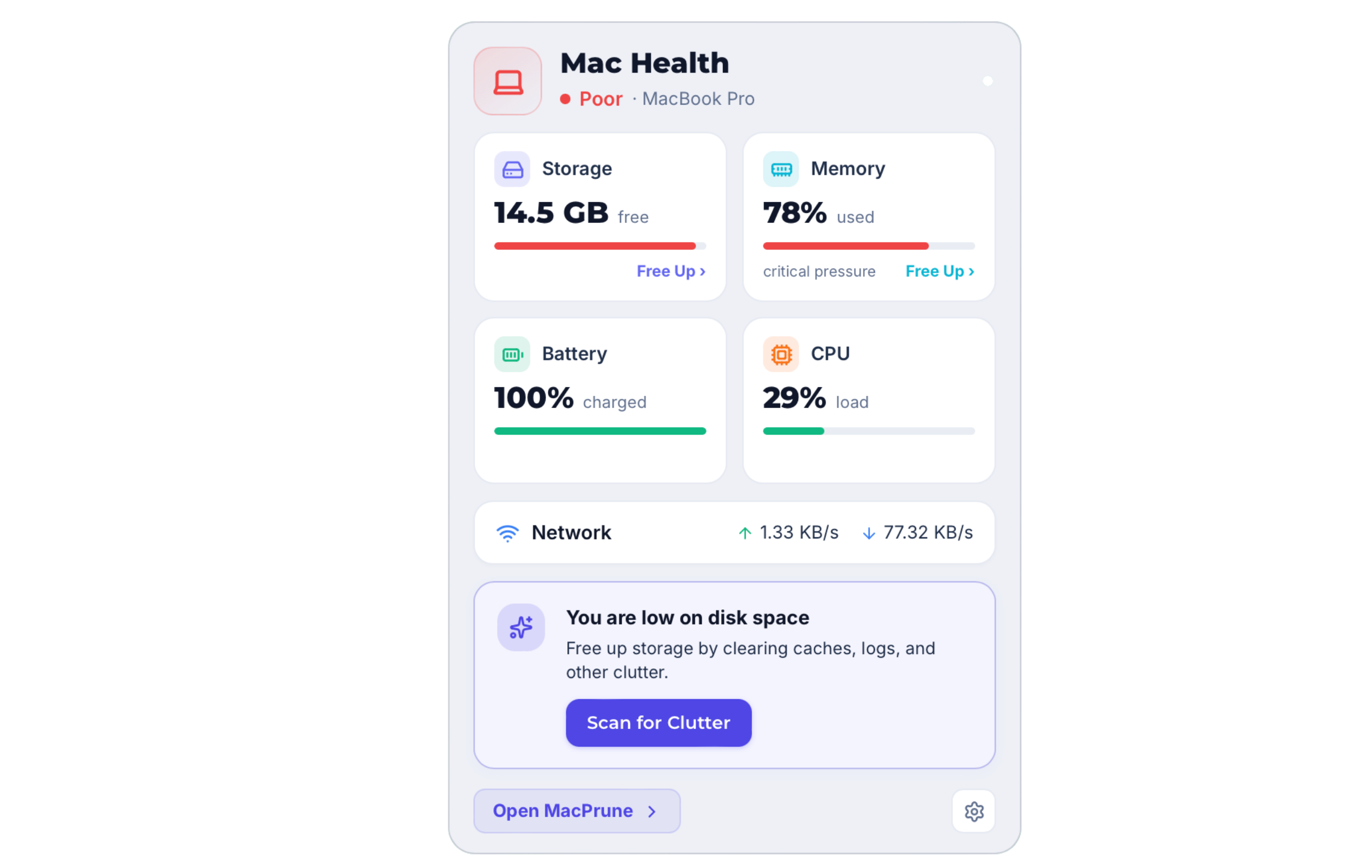
Menu bar
Your Mac's vitals, one click away
Storage, memory, battery, CPU, and network throughput sit in a compact dropdown in your menu bar. Glance at it any time without opening the full app.
- Live storage and memory pressure
- Battery health and charge level
- Upload and download rates
Process monitor
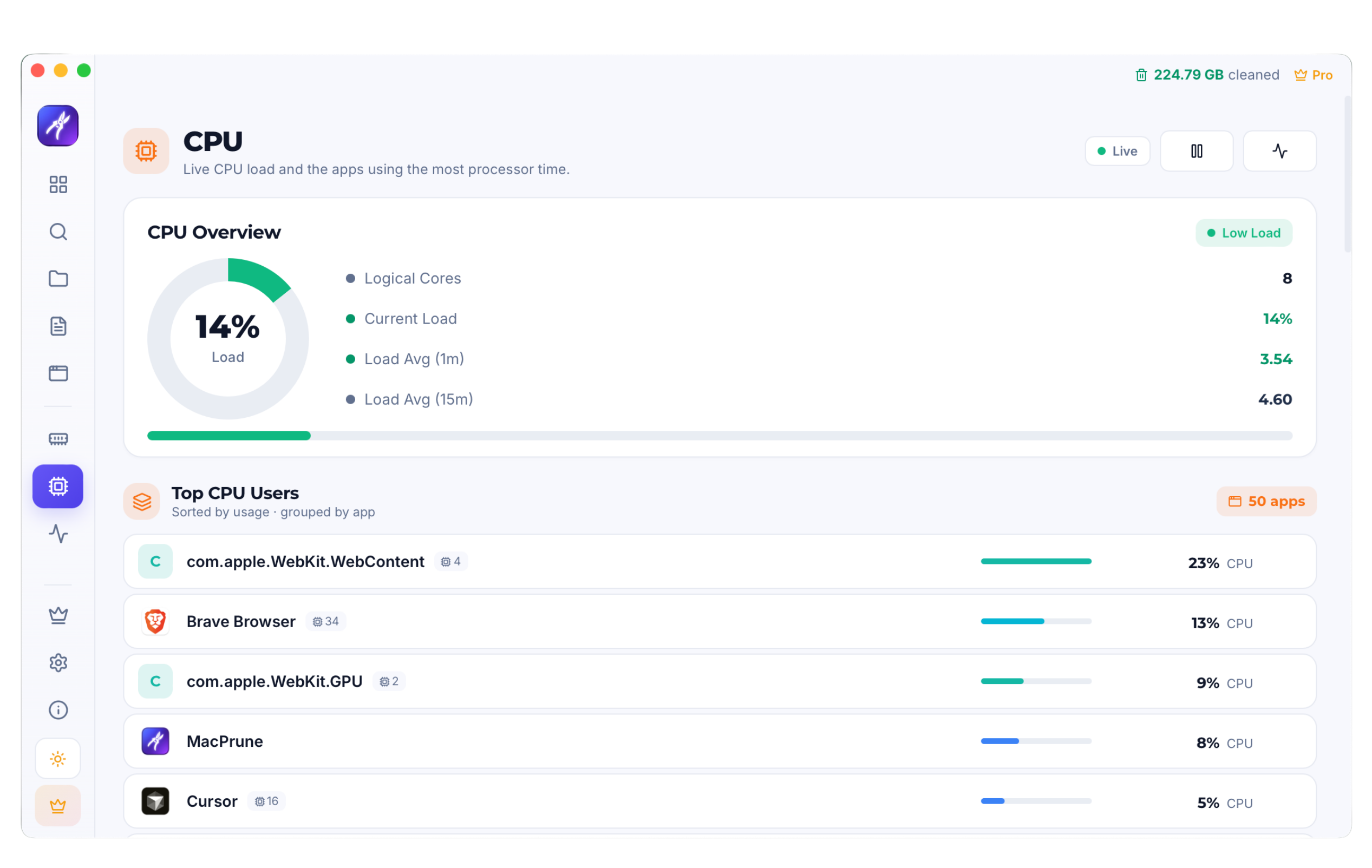
Find what is slowing you down
Live processor load alongside the applications using the most CPU time, so you can spot a runaway process and quit it before the fans spin up.
- Top CPU users, sorted by usage
- Current load and load averages
- Updates live while you watch
Deep clean
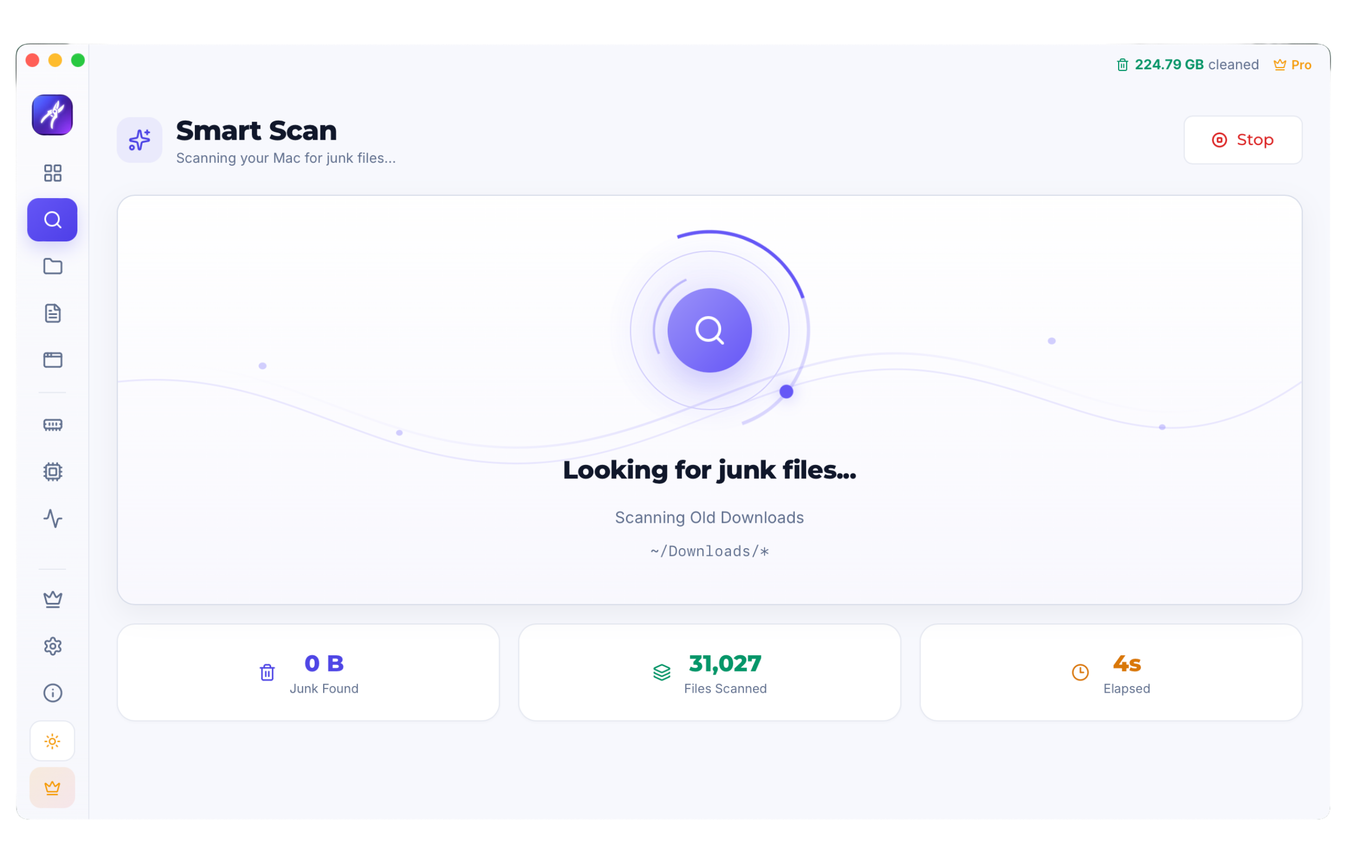
Every hiding place, in one pass
Smart Scan walks your caches, logs, and forgotten downloads, counting what it finds as it goes, so nothing is removed until you have seen it.
- Junk found and files scanned live
- Reviewed by category before cleanup
- Nothing deleted without confirmation
Try MacPrune today
Start with the free version. Upgrade only if you need the full toolkit.
macOS 13+ · Apple Silicon & Intel · Free basic version